Set Up Nagios XI
This guide explains how to set up a Nagios XI instance in InfraWatch.
Prerequisites
- Access to a Nagios XI installation
- Your Nagios XI user account
- The Nagios XI server must be reachable from your smartphone
- Nagios XI REST API must be enabled (enabled by default)
Authentication in Nagios XI
InfraWatch connects to Nagios XI exclusively via an API Key. No username is required. You can find the API key in your Nagios XI profile.
Step 1: Retrieve the API Key in Nagios XI
- Sign in to the Nagios XI web interface
- Click your username in the top right
- Select "My Account" (or "My Profile")
📸 Screenshot
Shows: The Nagios XI web interface with the user menu open at the top right and the "My Account" menu item.
- Scroll down to the "API Key" section
📸 Screenshot
Shows: The Nagios XI profile page (My Account) with the highlighted "API Key" section and a "Show/Hide" button to reveal the key.
- Click "Show API Key" to reveal the key
- Copy the API key – you will need it for InfraWatch
💡 Tip
If you don't have an API key yet or want to generate a new one: Click "Generate New API Key". Existing connections using the old key will become invalid.
⚠️ Protect your API key
Treat the API key like a password. InfraWatch stores it exclusively in your device's secure storage.
Step 2: Determine the Server URL
The URL for InfraWatch is the base URL of your Nagios XI server. You can enter either the full URL or just the base URL – InfraWatch automatically appends the /nagiosxi path.
Accepted URL formats:
https://nagios.company.com
https://nagios.company.com/nagiosxi
https://nagios.company.com/nagiosxi/
All three formats produce the same result.
Examples:
https://nagios.company.comhttps://192.168.1.30https://monitoring.intern.local/nagiosxi
💡 Tip
When you open Nagios XI in the browser, the URL looks like https://nagios.company.com/nagiosxi/index.php. You only need https://nagios.company.com or https://nagios.company.com/nagiosxi.
Step 3: Add the Instance in InfraWatch
- Open InfraWatch and tap the Settings icon (⚙️)
- Tap "+ Add Instance"
- Select type: Nagios XI
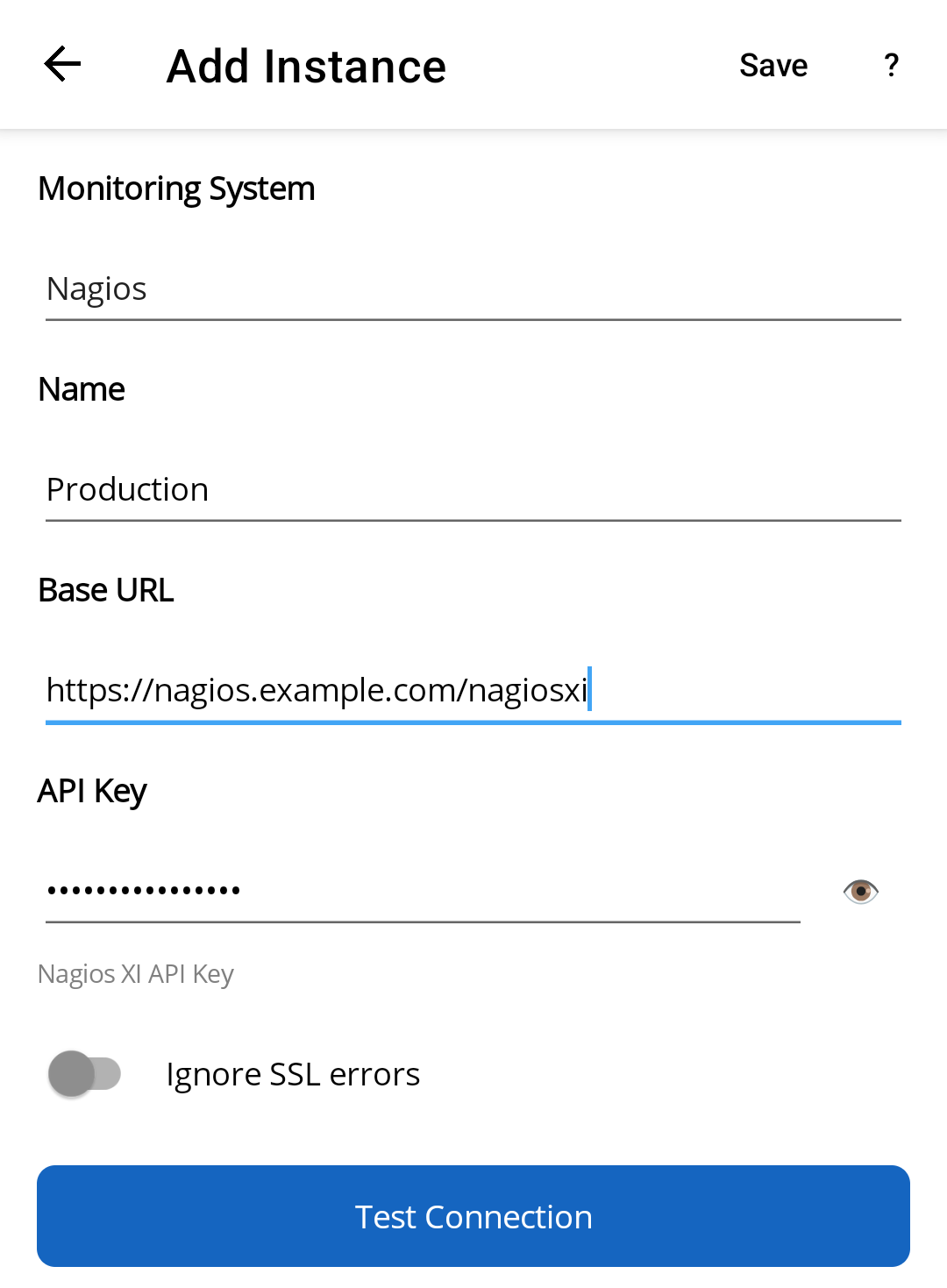
- Fill in the fields:
| Field | Description | Example |
|---|---|---|
| Name | Any label | Nagios Production |
| Type | Monitoring system | Nagios XI |
| Server URL | URL of the Nagios XI server | https://nagios.company.com |
| API Key | Your personal API key | abc123def456... |
| Ignore SSL | Only for self-signed certificates | ☐ |
ℹ️ No username needed
Unlike Checkmk or PRTG, Nagios XI only requires the API key for API authentication. The username field is therefore not displayed.
Step 4: Test the Connection and Save
- Tap "Test Connection"
- On success, tap "Save"
- Activate the instance with the toggle switch
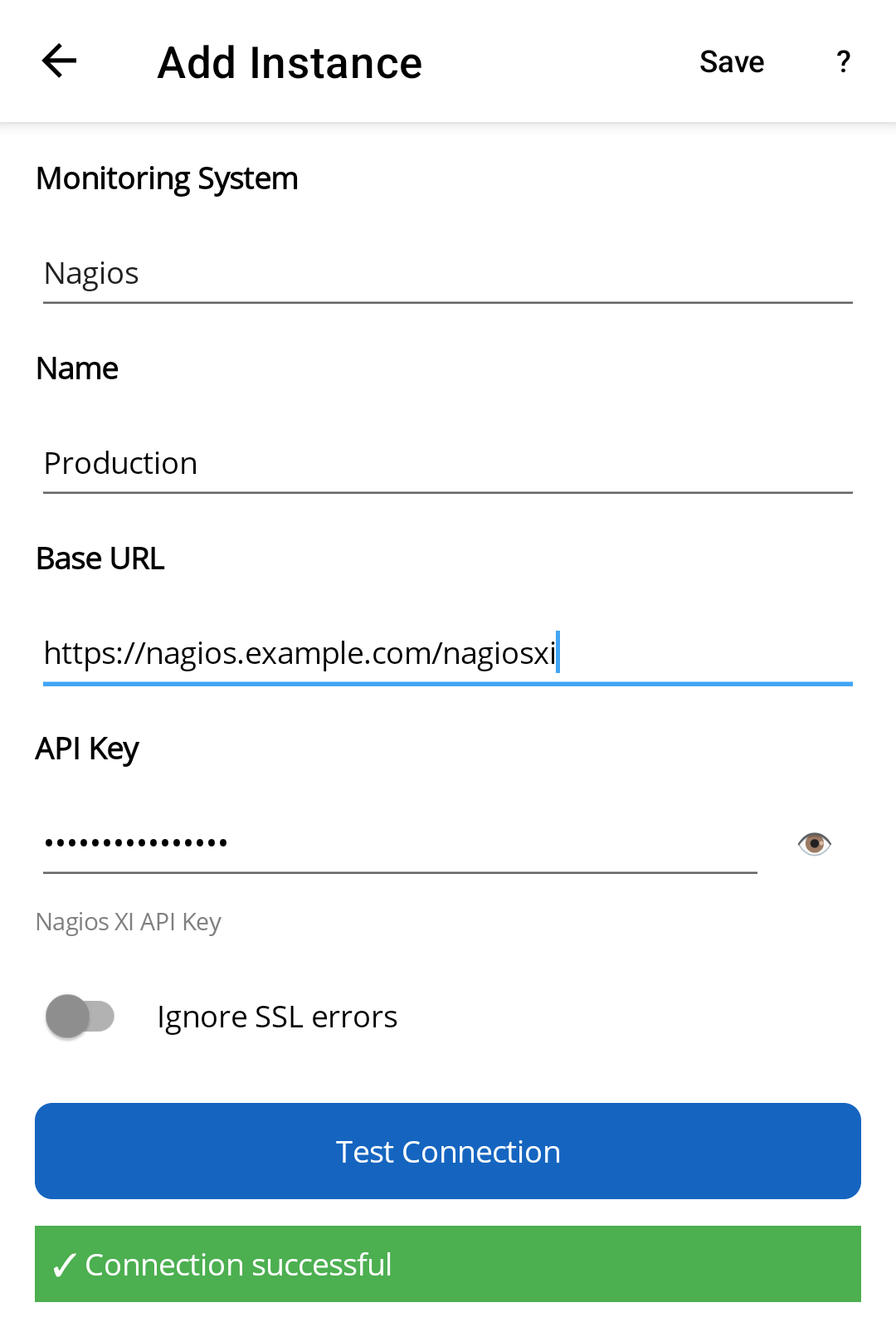
Possible error messages:
| Error | Cause | Solution |
|---|---|---|
Network error | Nagios XI server unreachable | Check URL and network |
API error 403 | Invalid API key | Copy API key again from Nagios XI |
Unexpected response | Incorrect URL | Check URL (base URL only) |
Certificate error | Self-signed SSL | Enable "Ignore SSL" |
Status Mapping
| Nagios XI | InfraWatch (Hosts) | InfraWatch (Services) |
|---|---|---|
| UP (0) | 🟢 Up | – |
| DOWN (1) | 🔴 Down | 🟡 Warning |
| UNREACHABLE (2) | 🟠 Unreachable | 🔴 Critical |
| OK (0) | – | 🟢 OK |
| CRITICAL (2) | – | 🔴 Critical |
| UNKNOWN (3) | – | ⚫ Unknown |
Acknowledge and Downtime
InfraWatch fully supports all Nagios XI actions:
- Set/remove Acknowledge: Available for hosts and services
- Create/cancel Downtime: Available for hosts and services
Learn more:
Frequently Asked Questions
Which Nagios XI version is supported? InfraWatch works with Nagios XI from version 5.x (REST API v1).
Do I need admin rights? No. The API key from your regular user account is sufficient. However, for Acknowledge and Downtime, your account needs the corresponding permissions in Nagios XI.
The connection fails even though the URL and API key are correct. Check whether the Nagios XI REST API is enabled: Admin → System Config → Nagios XI API. Make sure "Enable API" is turned on.
📸 Screenshot
Shows: The Nagios XI admin settings under "System Config → Nagios XI API" with the API toggle enabled.
I see no hosts/services even though the connection is successful. Make sure your Nagios XI user has access to the relevant hosts and services (contact assignment in Nagios XI).