HTTP / TLS Check
This tool calls a web address and reports what comes back: status code, response time, the redirect chain – and the certificate, including when it expires.
Running a Check
- Open Tools → HTTP / TLS Check
- Enter the URL (e.g.
https://example.com) - Tap Start
An address without a scheme is treated as https://.
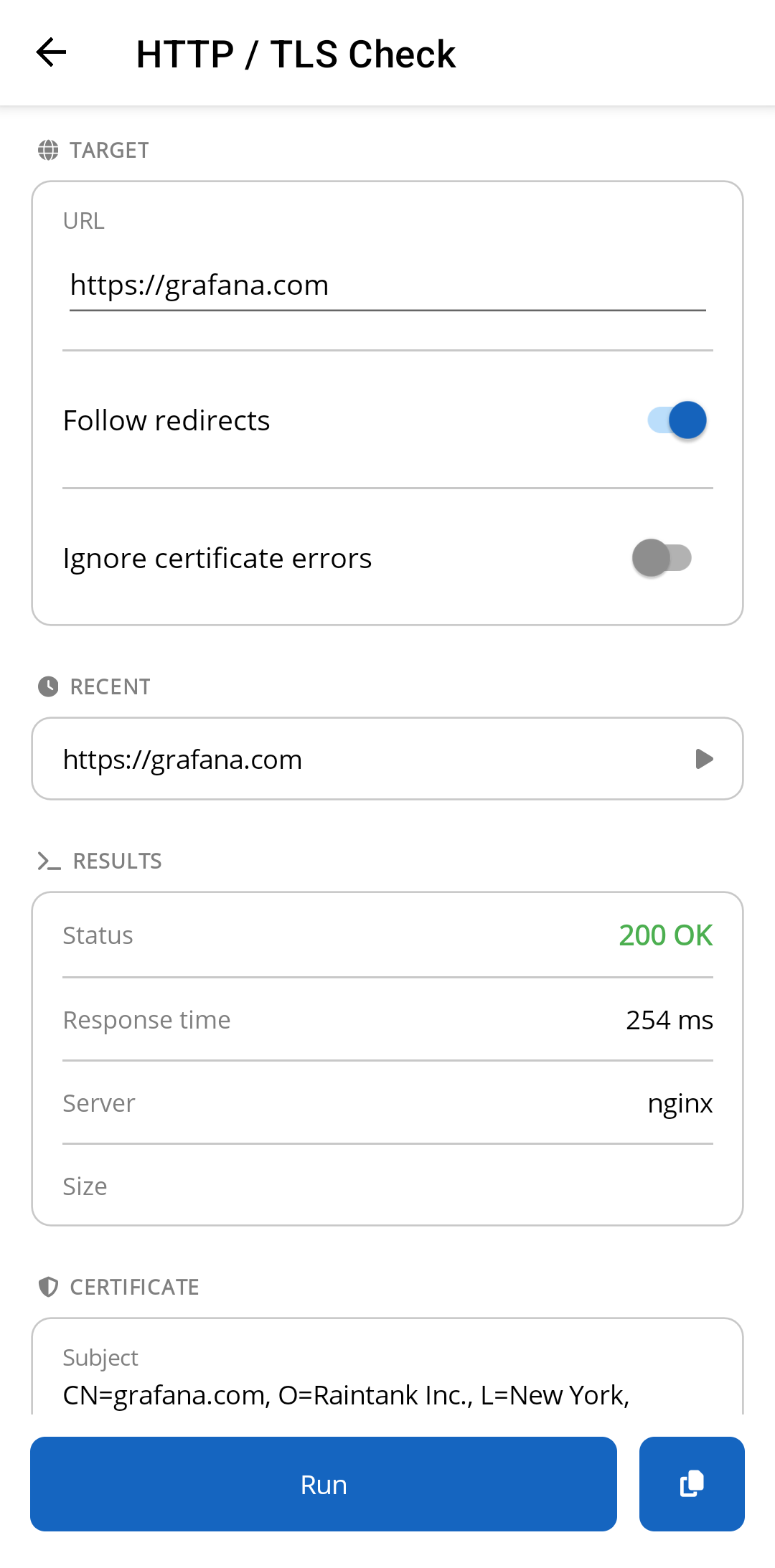
Options
| Option | Description |
|---|---|
| Follow redirects | Follows up to ten redirects and shows every step. Turn it off to see the first answer unchanged. |
| Ignore certificate errors | Completes the connection even with an invalid certificate. Necessary for self-signed certificates on internal systems. |
Reading the Result
| Value | Meaning |
|---|---|
| Status | HTTP status code. Green 2xx, blue 3xx, yellow 4xx, red 5xx or connection failure. |
| Response time | Total time until the response headers arrived |
| Server | The Server header, when the server sends one |
| Size | Content length, when the server states one |
Redirect Chain
Every step is listed when a redirect was followed. This is where you spot an unwanted http → https → www → login chain, or a redirect loop.
Certificate
For HTTPS, InfraWatch shows the subject, the issuer and the expiry date. The remaining runtime is colour coded:
| Colour | Meaning |
|---|---|
| 🟢 Green | More than 30 days remaining |
| 🟡 Yellow | Less than 30 days – time to renew |
| 🔴 Red | Expired |
If the certificate is not trusted, the reason appears in red beneath it – for example a name mismatch, an unknown issuer, or an expired certificate.
💡 Checking certificates in advance
The certificate is also read when the connection fails because of it. An expired or wrong certificate is often the whole answer to "the website is broken".
Frequently Asked Questions
"The request timed out." The server did not answer within 15 seconds. Check with Ping and Port Check whether the host and port 443 are reachable at all.
Status 200, but the page is broken in the browser. The check only fetches the response headers, not the page content. A 200 says the server answered – nothing about whether the page renders.
An internal server with a self-signed certificate does not work. Turn on Ignore certificate errors. The certificate details are still displayed so you can see what is wrong with it.
Why is the size sometimes empty? Not every server sends a Content-Length header – with chunked transfer, for instance, it is absent.