Ping
Ping sends small echo requests to a host and measures how long the answer takes. It is the fastest way to tell "is it reachable at all?" apart from "is it slow?".
Running a Measurement
- Open Tools → Ping
- Enter a host name or IP address (e.g.
192.168.1.1orserver.example.com) - Choose the options (see below)
- Tap Start
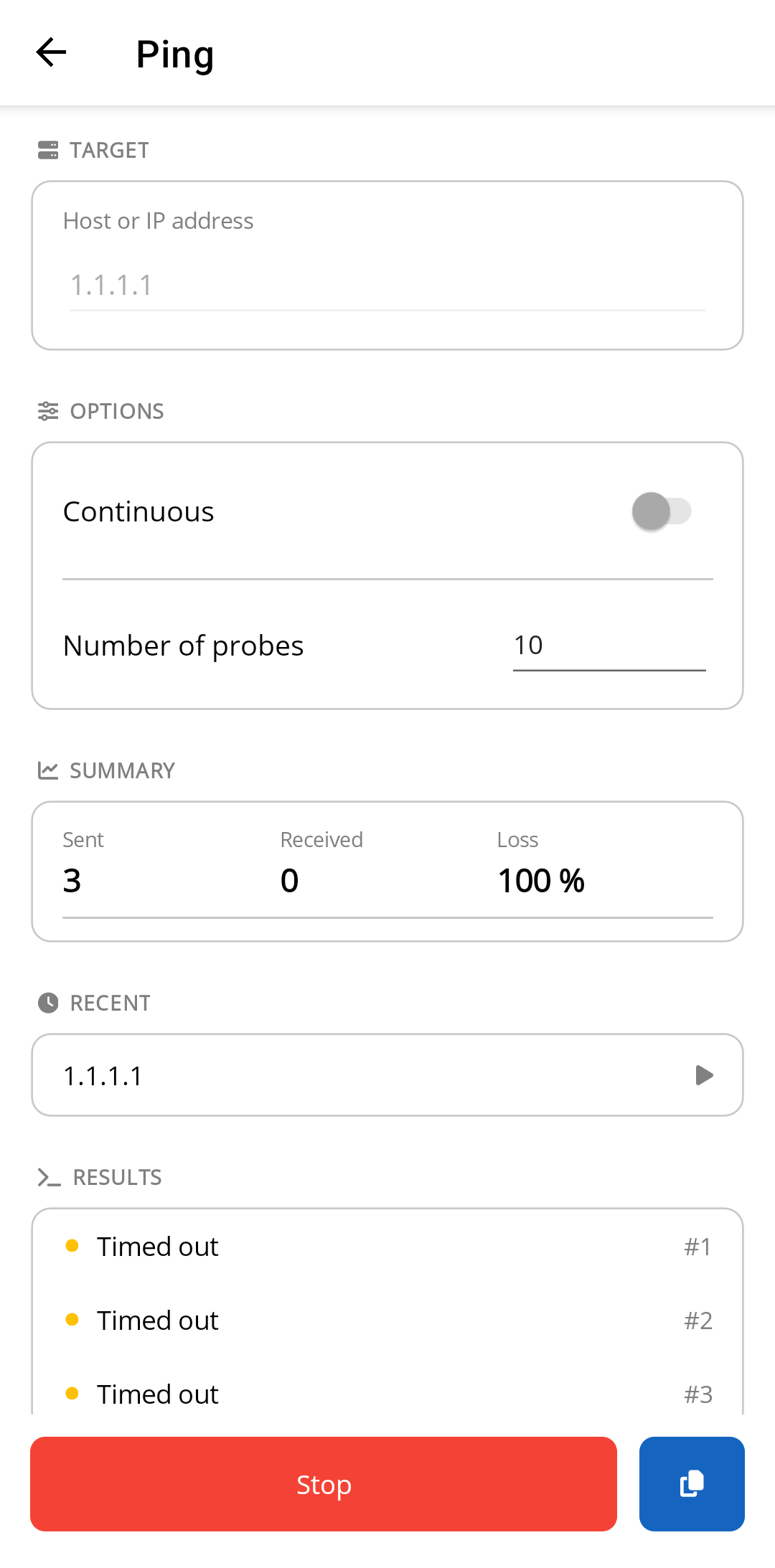
Replies appear live, one line per probe. Tap Stop to end the measurement at any time – the results collected so far stay on screen.
Options
| Option | Description |
|---|---|
| Continuous | Keeps measuring until you tap Stop. Useful for watching an unstable connection. |
| Number of probes | 5, 10, 25, 50 or 100 probes, then the run ends by itself. Disabled while Continuous is on. |
Reading the Result
Each line shows where the reply came from, the round-trip time and the TTL. The summary above collects the whole run:
| Value | Meaning |
|---|---|
| Sent / Received | How many probes went out and came back |
| Loss | Percentage of lost probes. Anything above 0 % on a local network is suspicious. |
| Min / Avg / Max | Fastest, average and slowest round trip in milliseconds |
| Jitter | Average variation between consecutive replies. High jitter means an unsteady line – it matters for voice and video far more than a high average. |
💡 Interpreting the numbers
A low average with high jitter is often worse than a slightly higher but steady average. For VoIP, watch jitter and loss first.
When ICMP Is Not Available
Some devices do not allow the app to send true ICMP packets. In that case Ping falls back to a TCP connection attempt and shows a note above the results.
What changes:
- The measured times are connection times, not ICMP round trips – they are usually somewhat higher
- A host that only blocks ICMP but answers on a port now shows as reachable
- The values remain useful for comparing measurements with each other
Frequently Asked Questions
The host does not answer, but it is definitely online. Many firewalls and Windows systems block ICMP by default. Try Port Check on a port the host actually serves.
"Host could not be resolved to an IPv4 address" The name does not resolve, or it only has an IPv6 address. Check the name with DNS Lookup. The tools currently work over IPv4.
Why is the first reply slower than the rest? The name has to be resolved first and the path is not yet established. Judge from the average, not the first probe.
Does continuous ping drain the battery? It sends one probe per second and keeps the screen awake. For long observations, prefer a fixed number of probes.