Port Check
A port check tries to open a TCP connection to a port. It answers the question that ping cannot: the host is up – but is the service actually running?
Running a Check
- Open Tools → Port Check
- Enter a host name or IP address
- Choose which ports to test
- Tap Start
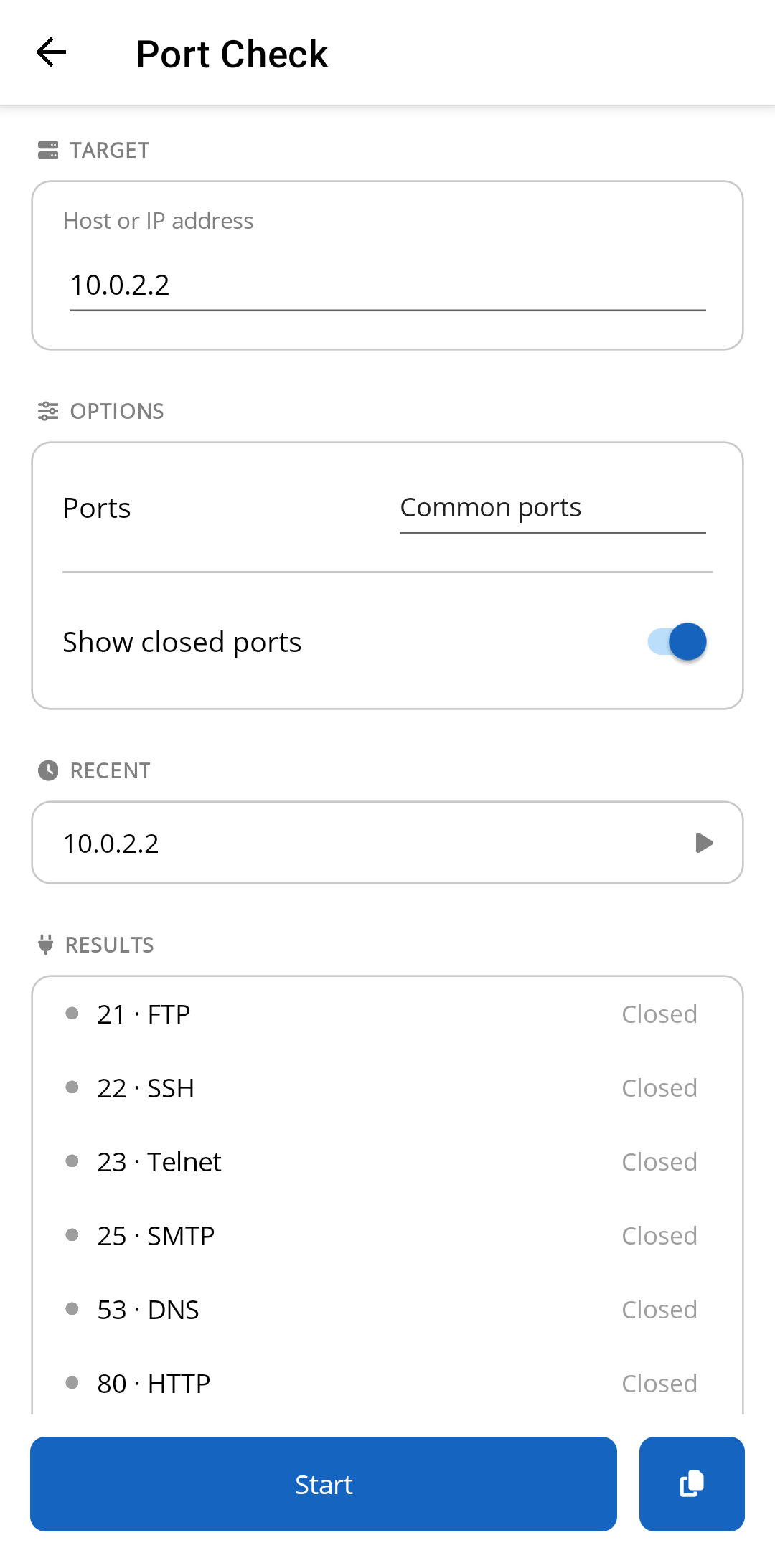
Which Ports to Test
| Mode | Description |
|---|---|
| Common ports | About 30 ports that matter in practice – SSH, HTTP(S), SMB, RDP, SQL databases, and the agent ports of Checkmk, Zabbix and Nagios. The right starting point in most cases. |
| Single port | Exactly one port. Use it when you already know what you are looking for. |
| Port range | A contiguous range, e.g. 1 to 1024. At most 1024 ports per run. |
The Show closed ports switch controls whether closed ports appear in the list. Turn it off to see only what is open; turn it on to prove that a port really is unreachable.
Reading the Result
| Result | Meaning |
|---|---|
| Open | The connection was established. Something is listening there. |
| Closed | The host answered but refused the connection, or nothing answered within the timeout. |
The service name next to the port number (e.g. 443 · HTTPS) is the usual assignment for that port. It says nothing about what actually runs there – a web server on port 8080 is still labelled HTTP-Proxy.
💡 Typical use
A service in your monitoring is red. Ping the host: it answers. Port check the service port: closed. Now you know it is the service, not the network.
Please Note
⚠️ Only scan your own networks
Port scans against third-party systems may be unlawful without permission. InfraWatch asks you to confirm this once before the first scan.
A scan covers at most 1024 ports per run. A range beyond that is rejected with a note.
Frequently Asked Questions
Everything shows as closed, though the server is running. A firewall between you and the target usually drops the packets silently. Check from a device in the same network segment.
"Open" but the service does not work. The port check only proves that something accepted the connection. Whether the service behind it answers correctly is a different question – for web services, use the HTTP / TLS Check.
Why is a closed port sometimes slow? An actively refused connection answers immediately. A port dropped by a firewall runs into the timeout instead – noticeable delay is itself a hint at a firewall.
Can I test UDP ports? No. The check uses TCP. UDP cannot be tested reliably this way because a missing answer does not distinguish "open" from "filtered".